Follow these steps to adjust your homepage settings:
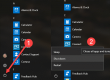
Click the Chrome menu on the browser toolbar.
Select Settings.
Add the home button to the browser toolbar
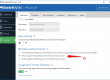
Homepage button is off by default. Select the “Show Home button” checkbox in the “Appearance” section to show it on the browser toolbar.
Set your homepage
When the “Show Home button” checkbox is selected, a web address appears below it. If you want the Homepage button to open up a different webpage, click Change to enter a link. You can also choose the New Tab page as your homepage.


 on the browser toolbar.